Skip to content
COHERENT PLATFORM > CONTROL

IT-Style Controls Without Leaving Excel

Bring audit trails, version control, and enforceable workflows to business-critical Excel processes. Keep your models accurate, compliant, and always ready for audit. Business users stay in Excel. IT gets enterprise governance.
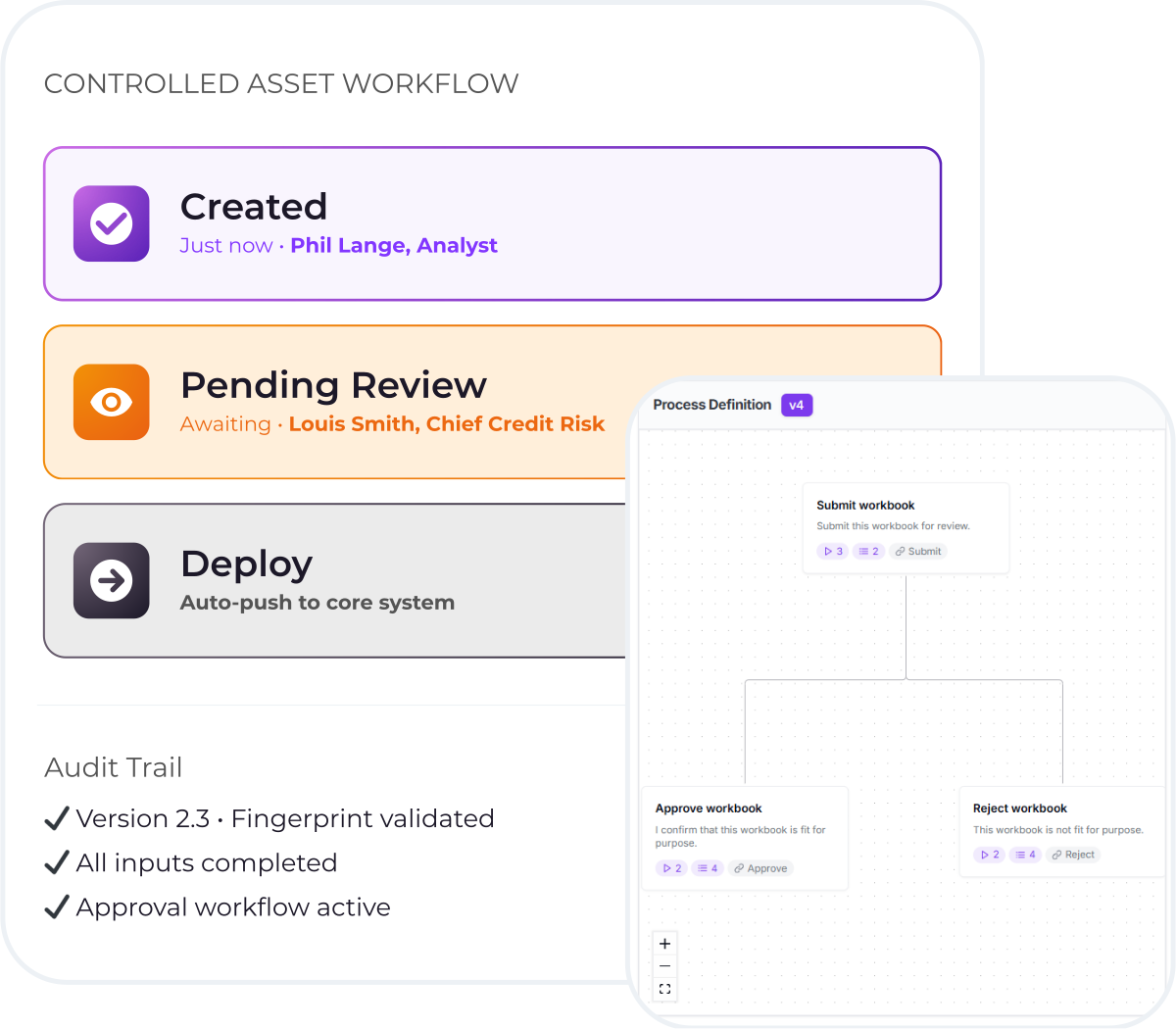
Controlled Asset Workflow Coherent Hero

15-Minute Setup

Not 18-month IT projects

Zero Disruption

Users work in Excel

Built-in Compliance

Examination-ready

Complete Audit Trail

Every action logged


"The right person using the right spreadsheet following the right process--without ever leaving Excel."

That's Control.

Setup in 15 Minutes, Not 18 Months

From ungoverned spreadsheet to enterprise-controlled workflow in the time it takes to have coffee.

1 Icon Square

5 MINUTES
Tag Inputs

Use Excel's name range manager to identify input cells. That's it. No rebuilding.

2 Icon Square

10 MINUTES
Configure Workflow

Set roles, approval rules, and integration triggers. Point and click.

3 Icon Square

INSTANT
Create Asset

Control fingerprints files, locks non-inputs, generates controlled asset link.

4 Icon Square

ONGOING
Work in Excel

Users download asset, work normally. Governance is invisible.

How Excel Governance
Protects Your Business

Coherent Control delivers comprehensive IT-grade governance with business-grade usability.

Coherent Assistant Experience Block (1) White
Governance without leaving Excel

The Coherent Assistant:
Excel Add-In for Governed Workflows

Coherent Control doesn't force users into a new platform. The Coherent Assistant is an Excel add-in that brings workflow, version control, and audit logging directly into the spreadsheet interface.

Locks non-editable cells based on user role automatically

Workflow buttons in Excel (Submit, Review, Approve) replace email chains

Real-time validation of permissions and file version before actions

Instant audit trail access without leaving the spreadsheet
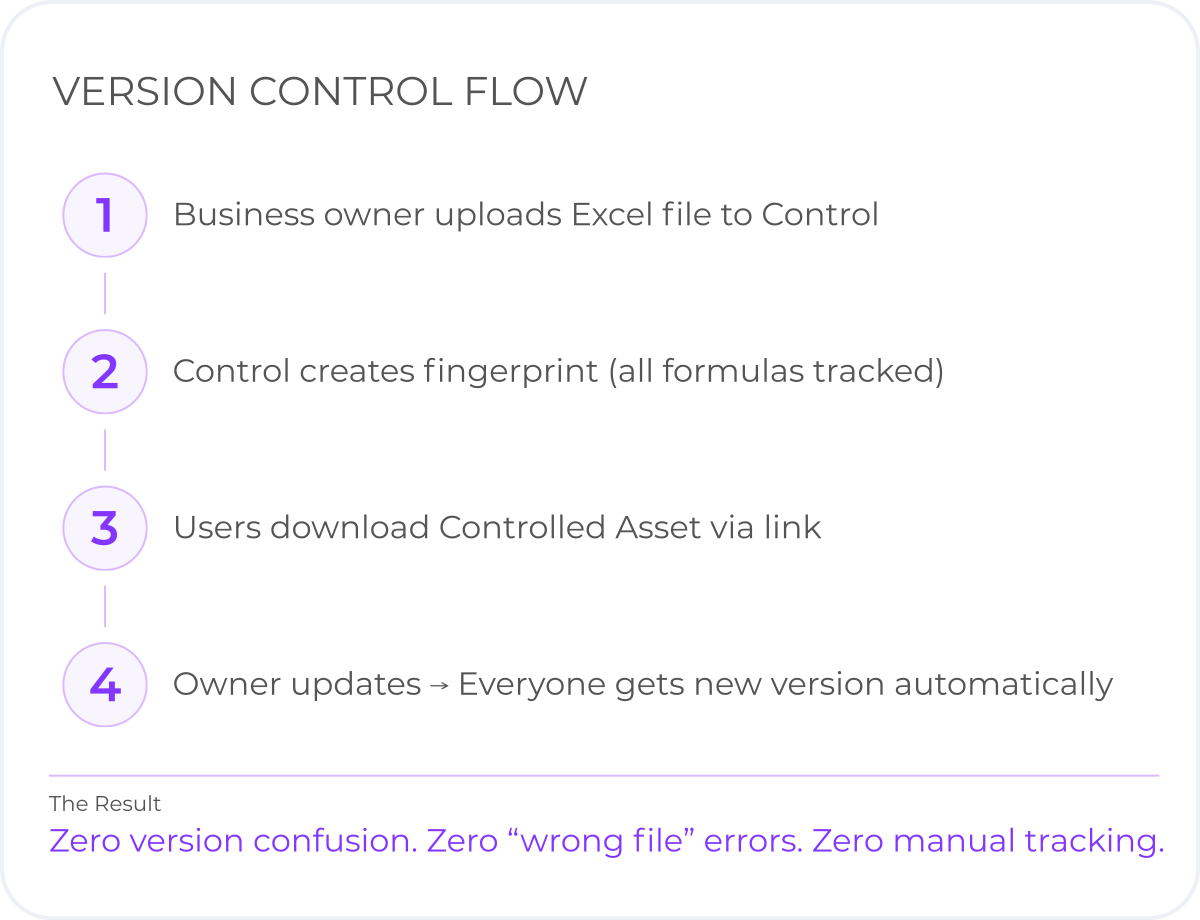
Version Control Flow Block
One source of truth, fingerprint-validated

Controlled Assets:
Version Control That Works in Excel

Every spreadsheet becomes a "Controlled Asset" with a cryptographic fingerprint. Central version management ensures everyone uses the approved version--no more "FINAL_v3_USE_THIS" chaos.

 Fingerprinting technology logs all formulas and structure centrally

 Automatic version validation prevents use of outdated files

 One-click rollback to any previous version instantly

 Download tracking creates complete audit trail of access
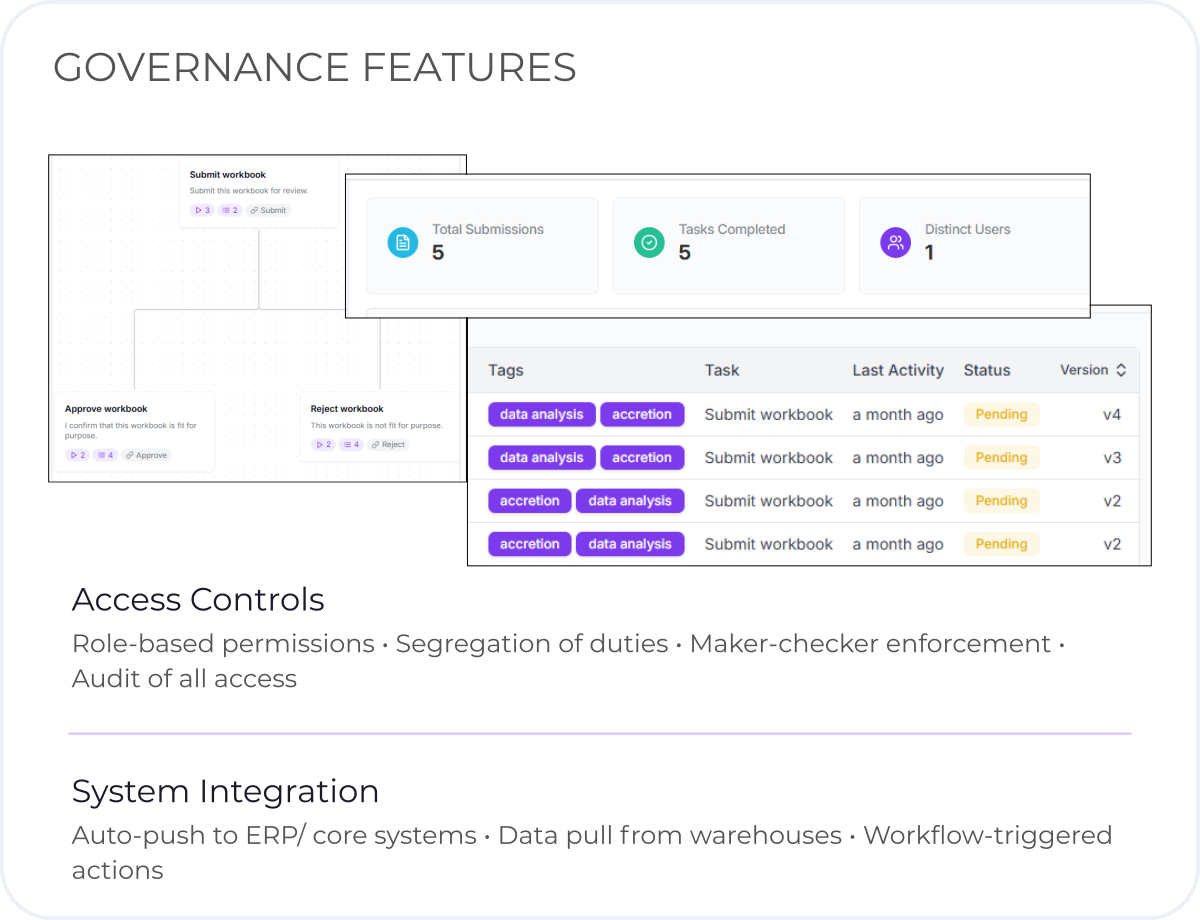
Maker Checker Coherent Control Governance Features
Enforced segregation of duties

Approval Workflows:
Maker-Checker Controls Built In

Configurable approval chains with role-based permissions. Material changes require executive sign-off. Minor updates auto-approve. Workflow enforcement happens in Excel, not email.

Example: ALLL Calculation Workflow

Credit Analyst: Edit assumptions, submit for review

Credit Manager: Review calculations, approve or request changes

Chief Credit Officer: Final approval for production use

Auto-actions: Push to GL, notify committee, archive version

Regulator question: "Show me approval chain for Q3 assumption change."
Answer: Generated in 5 seconds with full audit trail with Coherent.

Where Coherent Control Fits

Any business-critical Excel process that needs governance but doesn't justify platform migration

Finance Icon

Finance & Accounting

Monthly close adjustments & journal entries

Budget vs. actual variance approvals

Management reporting packages

Reconciliations requiring sign-off

Banking Icon

Banking & MRM

CECL/ALLL calculations (SR 11-7 compliant)

Capital adequacy & stress testing models

Asset-liability management (ALM) models

Fair value calculations (Level 2/3)

Insurance Icon

Insurance

Loss reserve calculations & case reserves

Rate filing support documentation

Actuarial assumption updates

Reinsurance treaty settlements

Operations Icon

Operations

Commission settlements requiring approval

Supply chain pricing decisions

Inventory valuation adjustments

Pricing exception workflows

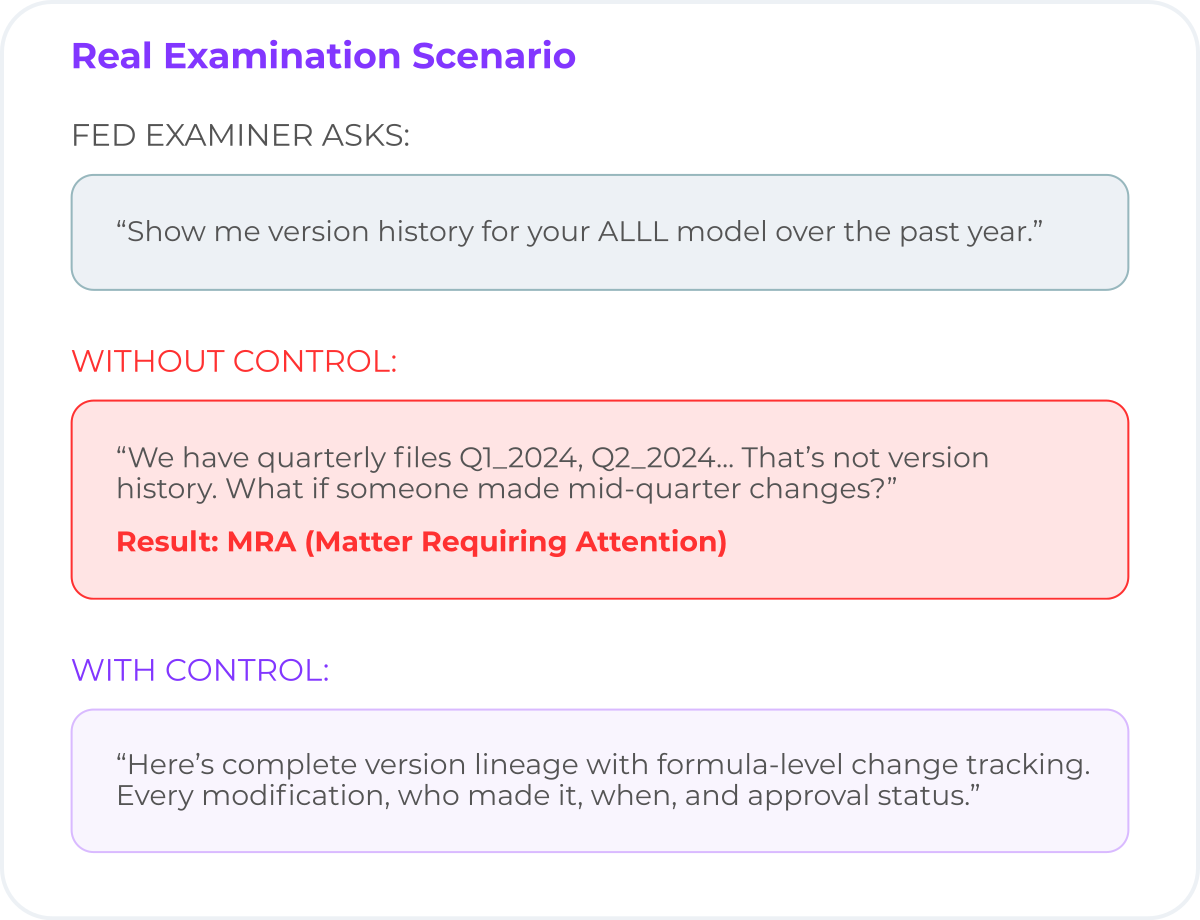
Real Examination Scenario Coherent Control Updated
Model Risk Management

Examination-Ready
Model Governance

The average banks has 100's of Excel models requiring SR 11-7 governance. Coherent Control brings MRM compliance to spreadsheets without platform migration.

Version Control & Change Management
Complete formula-level history, approval documentation, rollback capability

Four-eyes | Dual Verification
Role-based access, approval workflows, enforced separation of duties

Immutable Audit Trail
Every download, edit, approval logged--examination evidence in seconds

Frequently Asked Questions

How do enterprises govern Excel-based models used in regulated processes?

Enterprises govern Excel-based models by layering controls on top of spreadsheets rather than replacing them. This includes version control, approval workflows, audit trails, ownership assignment, and validation checks—allowing Excel to remain the authoring environment while enforcing enterprise governance standards required for regulated processes.

Coherent Control provides this governance layer directly in Excel, enabling teams to manage spreadsheet-driven workflows with the same rigor applied to production systems.

Can Excel spreadsheets meet audit and regulatory requirements?

Excel itself is not non-compliant—but unmanaged Excel processes are. Spreadsheets can meet audit and regulatory requirements when changes are controlled, approvals are enforced, and evidence is retained.

With proper controls in place—such as immutable audit trails, maker-checker approvals, and documented change history—Excel models can satisfy regulatory expectations for financial reporting, actuarial modeling, and risk management.

What controls are required for Excel-based financial or actuarial models?

Regulators and auditors typically expect the following controls for spreadsheet-based models:

  • Version control with full change history
  • Clear model ownership and accountability
  • Maker-checker or approval workflows
  • Segregation of duties
  • Validation and testing evidence
  • Documented rationale for material changes

Coherent Control enforces these controls without requiring teams to move logic out of Excel or rebuild models in new systems.

How do maker-checker approval workflows work in Excel?

Maker-checker workflows separate model creation from approval. One user (the maker) proposes a change, while another authorized user (the checker) reviews and approves it before the change is finalized or deployed.

In Excel workflows, this is difficult to enforce manually. Coherent Control automates maker-checker approvals by routing spreadsheet changes through configurable approval paths based on materiality, risk level, or business impact—while maintaining a complete audit trail.

How is spreadsheet version control different from Git or SharePoint?

Git and SharePoint track file versions, but they are not designed for governing business logic inside spreadsheets.

Spreadsheet governance requires:

  • Formula-level change tracking, not just file snapshots
  • Business-context awareness (what changed and why it matters)
  • Integrated approvals and audit evidence
  • Controls aligned to regulatory requirements

Coherent Control provides version control purpose-built for Excel models, enabling governed change management without requiring users to adopt developer tools or workflows.

Stop Emailing Excel Files.
Start Governing Excel Processes.

From ungoverned to enterprise-ready in 15 minutes. Zero platform migration. Zero user retraining. Complete examination readiness.