Last Updated July 30, 2026

In brief:
-
An Excel estate is the full population of spreadsheets an organization depends on to run its business, treated as one connected system rather than a list of files.
-
Risk and audit teams have long tracked the individual files as end-user computing (EUC). The estate view adds what an EUC register cannot: how the files relate, where they came from, and which ones are secretly the same model.
-
Most estates resolve into a small number of core models plus their variants. The material risk lives in the variants nobody can trace.
- Describing an estate means reading the logic inside the workbooks. A file inventory records metadata; the risk lives in formulas, dependencies, and lineage.
An Excel estate is the full population of spreadsheets an organization depends on to run its business: the models, reconciliations, reports, and calculators spread across shared drives, SharePoint libraries, inboxes, and laptops — understood as a single connected system rather than a collection of files.
Every large organization already knows it has a lot of spreadsheets. Treating them as an estate means recognizing that they behave like one: files feed other files, logic gets copied and modified across teams, and a change in one workbook propagates, or silently fails to propagate, through dozens of others.
You cannot assess the risk of a single spreadsheet in isolation any more than you can assess the risk of a single function in a codebase without knowing what calls it.
What counts as part of an Excel estate
The estate includes more than the workbooks themselves. A reasonably complete picture covers:
-
Business-logic workbooks. The files that calculate something consequential: pricing models, reserve calculations, loan provisioning, inter-company allocations, reconciliations, experience studies.
-
Feeder and output files. The upstream workbooks supplying inputs and the downstream reports consuming outputs, connected through external links, queries, and manual copy-paste steps.
-
Embedded code. VBA modules and macros, including the duplicated and orphaned ones nobody has opened in years.
-
Versions and lineage. The copies, branches, and renamed descendants of each model, and the history of how they diverged.
-
Ownership and usage. Who built each file, who maintains it, who actually uses it, and which files persist purely out of habit.
The scale surprises most leadership teams.
A monthly close can draw on hundreds of workbooks; nobody planned that, and nobody signed off on it. A daily liquidity report can depend on dozens of interconnected models maintained by different teams.
None of this appears on an architecture diagram, which is precisely why it qualifies as an estate: it is real infrastructure that has never been mapped as infrastructure.
Is an Excel estate the same thing as EUC?
Nearly.
End-user computing (EUC), sometimes called user-developed applications (UDA), is the term risk, audit, and regulatory frameworks use for the individual files: applications built and maintained by business users outside IT governance. BCBS 239 expectations in banking, and SOX and IFRS 17 requirements more broadly, attach to EUCs one file at a time.
The 2026 US model-risk refresh (OCC Bulletin 2026-13 / Fed SR 26-2) sharpened the boundary from the other side by carving simple spreadsheet calculations out of the model definition; logic that leaves model-risk classification lands squarely in the EUC governance framework, with the control expectations intact.
The Excel estate is the system those EUCs form together.
EUC Register |
Estate view |
|
| Unit of analysis | Individual files | The connected system |
| Answers | What files exist, who owns them | Which files share logic, where a calculation originated, how data flows between them |
| Sees variants as | Five hundred separate workbooks | Twelve models wearing different names |
| Freshness | Stale at the next saved version | Continuous, because it reads the logic |
Banks and insurers with complex EUC estates tend to discover this distinction the hard way. The EUC register passes inspection while the Excel estate keeps generating findings, because the register describes files and the findings come from relationships between files.
Why an inventory alone can't describe an estate
Counting files, recording locations, and assigning owners produces a registry of metadata. Metadata is not where the risk lives, and it goes stale as soon as someone saves a new version. The questions that determine risk are behavioral, and answering them means reading the logic inside the workbooks. This is the same visibility gap that stalls finance transformations midway: the plan accounts for the systems, never for the logic living outside them.
Reading that logic at scale is what separates estate analysis from spreadsheet review.
Reading spreadsheets like codebases
The workable mental model is to treat spreadsheets less like documents and more like code.
A workbook has structure (sheets and tables), functions (formulas and named ranges), dependencies (links and references), and modules (VBA).
Estate analysis builds a structural understanding of each workbook first, parsing formula structures and dependency chains into an explicit model of how the file computes, so that any reasoning that follows, human or AI, works from the model behind the cells rather than the cells alone. Analyzed that way, an estate stops being an undifferentiated pile of files and starts revealing its actual shape.
Three techniques do most of the work.
Clustering: thousands of files, and handful of models
Spreadsheet clustering groups workbooks by what they compute rather than what they are named, using formula fingerprints, table structures, and shared logic patterns.
The result is consistent across industries: what looks like fifty pricing spreadsheets resolves into one core model, a set of closely related variants, and a few outliers that diverged years ago.
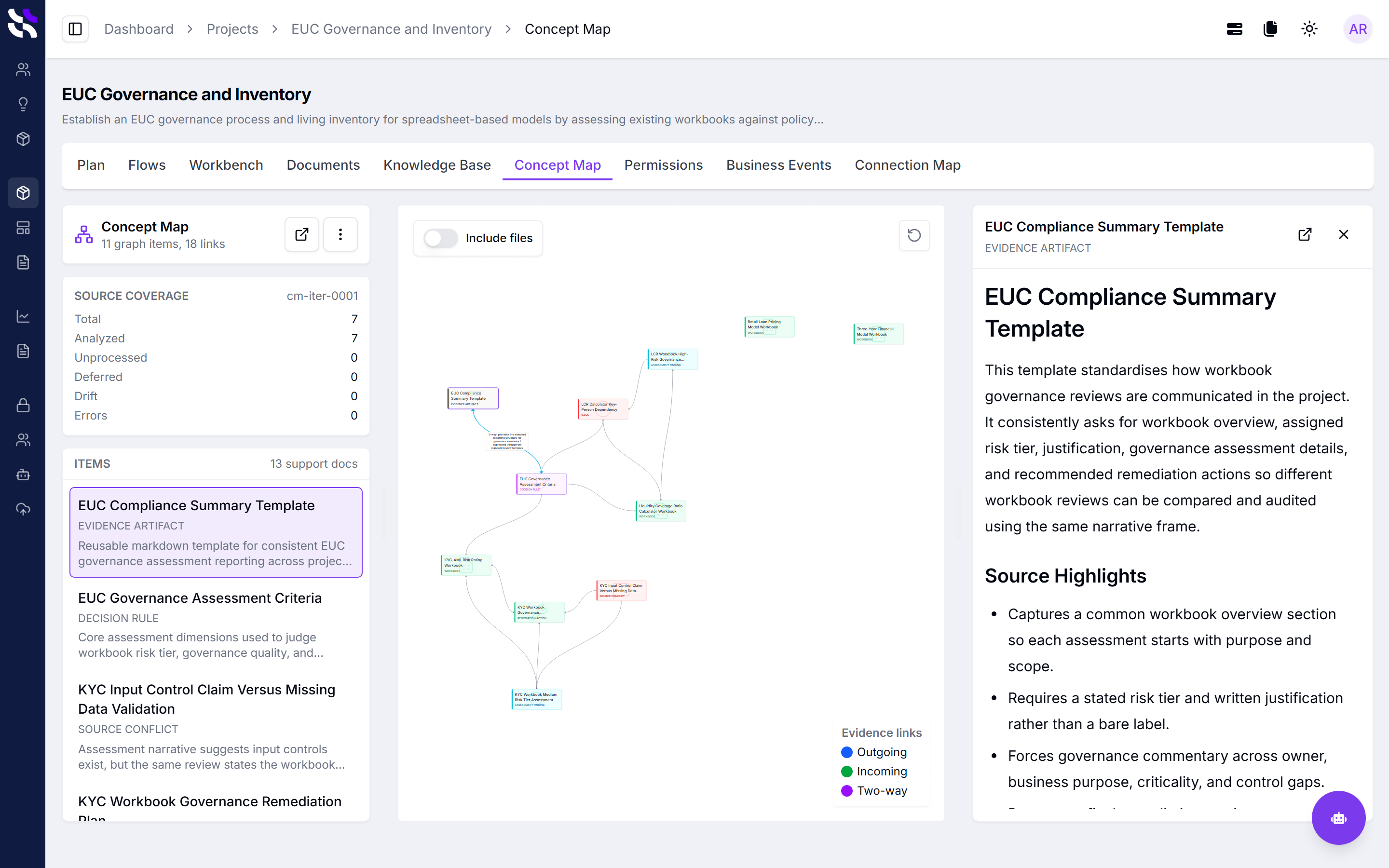
That shift changes the economics of everything downstream. Governance, remediation, and modernization get scoped against twelve model families instead of five hundred files.
Lineage and drift: how variants diverge
Spreadsheet lineage is the reconstructed version history of a model: where it originated, when copies branched, and which descendants share common ancestry.
Formula drift is what lineage reveals: the gradual, usually silent divergence of logic between copies of the same model as different teams modify their versions independently.
Drift comes in two kinds, and telling them apart is most of the analytical value.
-
Intentional divergence reflects a real business difference, such as a regional variant with genuinely different rules.
-
Silent drift is accidental: a formula changed in one copy and not its siblings, a table range that stopped extending, a hardcoded override someone forgot to remove.
An estate with heavy silent drift produces numbers that are nearly right rather than obviously wrong, and small discrepancies are the most expensive kind: a wildly wrong figure fails every sanity check and gets caught, while a figure that is slightly off passes plausibility review, then either slips into reporting undetected or consumes days of manual investigation before anyone can explain the gap.
Where the risk actually concentrates
Estate-level analysis consistently surfaces the same risk patterns, and almost none of them are visible from file metadata:
-
Errors masked by broad IFERROR wrapping, so failures return blanks instead of alarms
-
Range inconsistencies that grow silently as data expands past formula boundaries
-
Duplicated, unmanaged VBA performing the same task differently across teams
-
Hard-coded credentials embedded in macro code
-
Sensitive data and PII, from policyholder details to employee records, sitting in files with no access controls
Individually, each is a finding. Concentrated in the workbooks that feed reserves, close, or regulatory reporting, they are the estate's actual risk profile.
What is spreadsheet operational risk management?
Spreadsheet operational risk management is the discipline of reducing the operational, financial, and regulatory risk created by business-critical spreadsheets, without removing the spreadsheets themselves. Mature programs share a common structure:
-
Establish estate-level visibility. Start from the population the organization already tracks, the EUC or UDA register, and extend it with analysis of the logic inside those files: cluster them into model families, trace their lineage, and rank them by materiality and risk. This is the step that turns everything after it from guesswork into prioritization, and it turns the register itself from a list into something the business can defend.
-
Apply governance to what stays in Excel. Version control, review and approval workflows, and audit trails on the workbooks that belong in Excel, applied without forcing teams out of the tool their expertise lives in.
-
Test the logic that matters. Regression testing and change comparison for high-materiality models, so a formula change is verified before it reaches reporting.
-
Deploy critical logic in a controlled way. The small set of models that genuinely need to run at production scale get industrialized, with the governed workbook remaining the source of truth.
The order is not fixed. An audit finding pulls an organization in at governance; a calculation backlog pulls it in at controlled deployment.
What is fixed is the dependency: each step is only as reliable as the visibility underneath it.
Insight enables choice
The point of seeing an estate clearly is not cataloguing for its own sake. It is that triage becomes possible. Once clustering and lineage show which files are core models, which are variants, and which are abandoned descendants, the estate stops demanding a uniform response. Most files need consolidation or retirement, not governance. A minority need controls. A handful justify industrialization.
That is the specific problem Coherent Insights exists to solve: starting from the population already in scope, mapping the estate as a system, showing which models are core and which are drift, and giving risk, finance, and transformation teams an evidence base for what to govern, what to modernize, and what to finally delete.